
Chevrolet Spark Owners Manual: Safety Belts
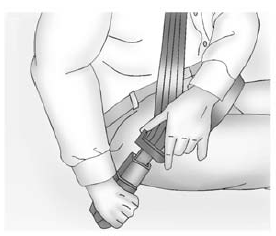
Refer to the following sections for important information on how to use safety belts properly.
- Safety Belts on page 3-10.
- How to Wear Safety Belts Properly on page 3-12.
- Lap-Shoulder Belt on page 3-13.
- Lower Anchors and Tethers for Children (LATCH System) on page 3-40.
 Head Restraint Adjustment
Do not drive until the head restraints for all occupants are installed and adjusted
properly.
To achieve a comfortable seating position, change the seatback recline angle
as little as necessary w ...
 Passenger Sensing System
United States
Canada
The passenger sensing system turns off the front outboard passenger frontal airbag
and knee airbag under certain conditions. No other airbag is affected by the passeng ...
Other materials:
Tire Sidewall Labeling
Useful information about a tire is molded into its sidewall. The examples show
a typical passenger tire sidewall.
Passenger (P-Metric) Tire Example
(1) Tire Size: The tire size is a combination of letters and numbers used to
define a particular tire's width, height, aspect ratio, const ...
Engine Compartment Fuse Block
The engine compartment fuse block is on the driver side of the vehicle, near
the battery.
Caution
Spilling liquid on any electrical component on the vehicle may
damage it. Always keep the covers on any electrical component.
To access the fuses, press the tab at the front of the cover, and ...
Where Are the Airbags?
The driver frontal airbag is in the center of the steering wheel.
The front outboard passenger frontal airbag is in the passenger side instrument
panel.
The driver knee airbag is below the steering column. The front outboard passenger
knee airbag is below the glove box.
Driver Sid ...
