
Chevrolet Spark Owners Manual: Liftgate
To lock or unlock the liftgate from the outside, use the key in the liftgate lock.
If equipped, press  on the RKE transmitter
to unlock all doors and press  to lock.
See Remote Keyless Entry (RKE) System Operation on page 2-3.
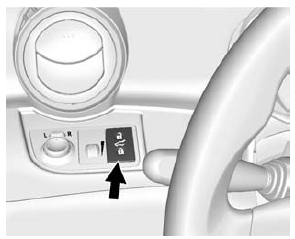
Without RKE
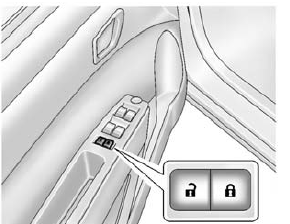
With RKE
To lock or unlock the liftgate from the inside, press
 or
or
 .
.
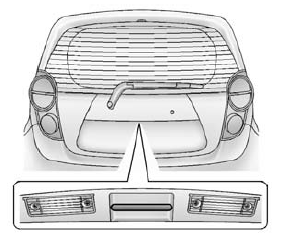
To open the liftgate, pull the handle and lift up.
When closing the liftgate, use the pull cup.
See Liftgate on page 2-8 or Central Locking System on page 2-6.
 Door Locks
To lock or unlock the doors from outside the vehicle:
Use the key in the driver door to lock and unlock the door.
Press or
on the Remote Keyless Entry (RKE)
transmitter, if equipped ...
 Windows
Press the switch down to open the window. Pull the front of the switch up to
close it.
The switches work when the vehicle is in ON/RUN, ACC/ACCESSORY, or when Retained
Accessory Power (RAP) i ...
Other materials:
Torque Lock (Automatic Transmission)
If you are parking on a hill and you do not shift the transmission into P (Park)
properly, the weight of the vehicle may put too much force on the parking pawl in
the transmission. You may find it difficult to pull the shift lever out of P (Park).
This is called “torque lock.” To prevent torque ...
Hazard Warning Flashers
The hazard warning flasher button is on the center stack.
(Hazard Warning Flasher): Press
to make the front and rear turn signal lamps flash on and off.
This warns others that you are having trouble. Press the button again to turn
the flashers off.
When the hazard warning flashers are on, ...
New Vehicle Break-In
Caution
The vehicle does not need an elaborate break-in. But it will perform
better in the long run if you follow these guidelines:
Do not drive at any one constant speed, fast or slow, for
the first 805 km (500 mi).
Do not make full-throttle starts. Avoid downshifting to brake or slow t ...
